



Monitor Arms for Dual-Screen Home Offices With Limited Desk Space
Setting up a dual-screen home office with limited desk space can be challenging, but choosing the right monitor arm can transform your workspace into a more organized and ergonomic environment. A well-designed gas spring monitor arm allows you to effortlessly adjust your screens for optimal viewing angles while freeing up valuable desk area. Understanding how a monitor desk clamp system works and selecting one that fits your specific needs can help reduce neck and eye strain, improve focus, and boost your productivity throughout the day.
Top Picks
|
Category |
Product |
|---|---|
|
🏆 Best Adjustable Range |
|
|
💰 Best Value |
|
|
⭐ Best for Easy Installation |
What Actually Differs
These are the specs that set the 3 picks apart:
| Spec | Acer Dual Arm | ErGear Dual Arm | XEVKZO Dual Arms |
|---|---|---|---|
| Mounting Type | C-clamp or Option Grommet Mount | Tabletop Mount | C-Clamp; Grommet Mounting; Tabletop Mount |
| Maximum Supported Screen Size | 32 inches | 32 inches | 34 inches |
| Movement Type | Rotation 360°, Tilt +90°/-60°, Swivel ±90° | Tilt, Swivel, Rotation, Height Adjustment | Swivel, Tilt |
Specs come from each retailer's product listing and can change, so check the listing before you buy.
Selection Criteria
Choosing a monitor arm involves assessing key factors like adjustability, mounting options, build quality, and ease of installation. You want a gas spring monitor arm with smooth, stable motion and a monitor desk clamp that fits your desk securely without damage. Compatibility with your screen size and weight matters, so checking VESA mount standards is essential. Additionally, durability, warranty, and customer feedback help ensure you pick a product that will meet the demands of your daily work routine.
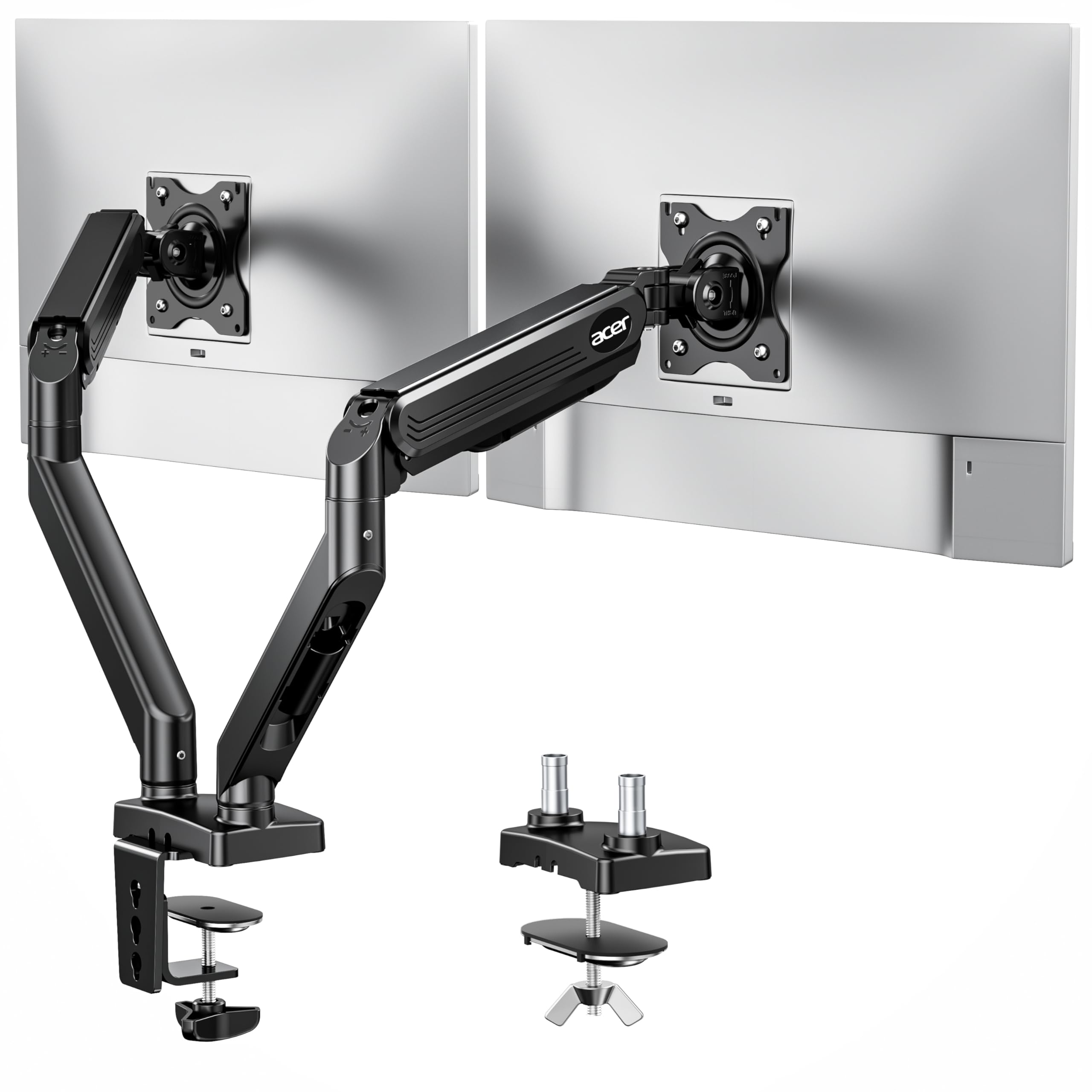
This adjustable monitor mount from Acer is a solid choice if you want flexibility and stability for your dual setup. It lets you rotate, swivel, and tilt your monitors smoothly, which comes in handy whether you’re switching between work tasks or relaxing with some entertainment.
Setting it up with either a desk monitor stand clamp or grommet mount gives you options depending on how your desk is set up. Its sturdy alloy and aluminum build means it holds up well under daily use, making it a reliable companion for both busy workdays and creative projects.
What People Say
Most people appreciate how sturdy and stable the Acer monitor arm is, especially when handling heavier screens. Users often mention that once you get the tension set right, the movements are smooth and flexible enough to arrange monitors just the way you like. A few note that the arms could be longer for deeper desks, but overall, it holds screens firm without sagging and helps keep desks clutter-free.
|
Pros |
Cons |
|---|---|
|
✅ Highly adjustable with multiple movement options |
❌ Does not allow vertical height changes after mounting |
|
✅ Sturdy build supports heavy monitors without sagging |
❌ Arm length may be short for larger desk depths |
|
✅ Offers both C-clamp and grommet mounting for desk flexibility |
Comfort
The range of tilt, swivel, and rotation helps you find the ideal screen angle to reduce neck and eye strain during long sessions. The sturdy design also keeps monitors from jerking or shifting unexpectedly, which adds to a more relaxed and focused work experience.
Problem Solving Ability
This desk monitor stand frees up valuable workspace by lifting monitors off the desk and offering flexible positioning. It’s great if you’re squeezed for space but still need a dual-screen setup.
Adjusting screen angles on the fly helps reduce discomfort and supports multitasking without causing clutter.
Key Benefits
- Wide range of motion including 360° rotation and 90° tilt for perfect positioning
- Supports monitors from 17″ to 32″ accommodating various screen sizes
- Dual mounting options with C-clamp and grommet for versatile desk compatibility
- Strong alloy steel and aluminum construction ensures durability and stability
The ErGear dual monitor mount is a reliable pick when you want smooth adjustability and a quick setup without fuss. Its tool-free VESA mount makes it simple to attach your screens, which is great if you’re not a fan of complicated assembly. You can swivel, tilt, rotate, and adjust the height effortlessly, making it suitable for different tasks, whether it’s work, gaming, or creative projects.
This dual monitor mount fits well on most desks thanks to its tabletop design, helping you reclaim desk space while keeping your screens exactly where you want them.
What People Say
Customers often highlight how easy this adjustable monitor mount is to set up without any tools, which is a big plus for people looking to avoid complicated installations. They also appreciate the solid build and smooth movement across tilt, swivel, and height adjustments. Many find it’s a great way to save space and boost comfort with their dual monitor setups.
Some mention how it balances functionality with an attractive design that fits nicely in home offices.
|
Pros |
Cons |
|---|---|
|
✅ Tool-free installation simplifies the setup process |
❌ May require adjustment to handle heavier monitors smoothly |
|
✅ Supports a broad range of monitor sizes up to 32″ |
❌ Tabletop mount might not fit all desk edges |
|
✅ Good height adjustment for ergonomic positioning |
Comfort
This dual monitor mount really shines with its adjustable height and tilt, which help you keep your posture comfortable and reduce neck strain. Being able to move your screens easily lets you create a workspace that suits your natural line of sight and keeps your shoulders relaxed throughout the day.
Problem Solving Ability
If your desk feels crowded or your monitors are fixed in awkward spots, this adjustable monitor mount helps by freeing up surface area and offering flexible screen positioning. It’s a smart way to customize your setup so everything feels just right and you can focus on what matters without distractions.
Key Benefits
- Easy tool-free installation with fast VESA mounting
- Flexible height adjustment along with swivel, tilt, and rotation
- Fits screens from 13″ to 32″, accommodating a wide range of monitor sizes
- Durable alloy steel build supports monitors securely
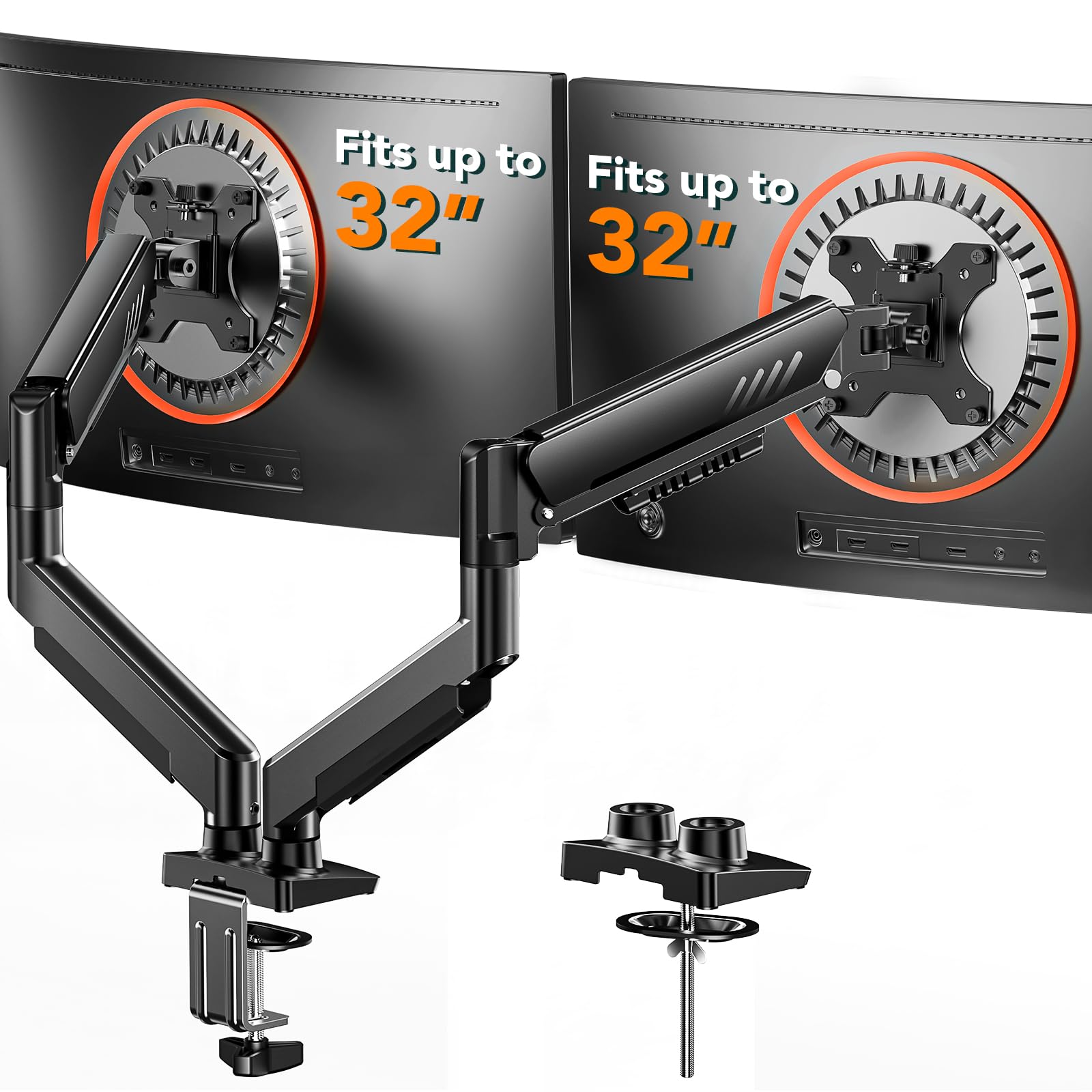
If you’re looking for a budget-friendly adjustable monitor mount with versatile mounting options, this XEVKZO dual arm setup offers a lot for the price. It supports both curved and flat monitors up to 34 inches, giving you a decent range of motion with tilt and swivel features. The monitor desk clamp and grommet base let you pick the mounting style that works best for your desk, which is super helpful when space is tight.
It’s lightweight but sturdy enough to keep your screens stable throughout the day, making it a practical choice for those wanting to maximize desk space without breaking the bank.
What People Say
People generally appreciate how easy it is to set up this dual monitor mount with options to fit a variety of desks using either a desk clamp or grommet. Reviewers tend to find it steady enough for both curved and flat screens, with good flexibility to adjust angles comfortably. Some mention it’s great for saving space and improving their workflow without spending too much.
|
Pros |
Cons |
|---|---|
|
✅ Multiple mounting options with desk clamp and grommet |
❌ Arm length and movement range may feel limited for some users |
|
✅ Supports relatively large monitors up to 34″ |
❌ Build includes some plastic parts that may affect long-term durability |
|
✅ Smooth tilt and swivel adjustments |
Comfort
With easy tilt and swivel movements, this monitor arm helps you find a comfortable viewing angle without awkward neck positions. You can keep your workspace tidy and ergonomic, which really helps reduce strain over long work sessions.
Problem Solving Ability
By lifting your monitors off the desk with a secure monitor desk clamp or grommet mount, this arm frees up much-needed surface area. It’s an effective way to manage limited space while keeping both screens easy to adjust for better posture and workflow.
Key Benefits
- Supports both C-clamp and grommet mounting to fit different desk setups
- Holds monitors up to 34 inches and 22 lbs per arm
- Adjustable tilt and swivel allow for flexible screen positioning
- Affordable option for a gas spring monitor arm
FAQ
How Do I Know If a Monitor Arm Will Fit My Desk?
When considering a monitor arm, especially a dual monitor mount, you want to first check the mounting type and compatibility with your desk thickness. Many arms come with a monitor desk clamp or grommet mount option, which are quite versatile but do require your desk edge to be sturdy enough and within certain thickness limits. It’s also helpful to measure the space behind your desk if you plan to use a grommet mount.
Looking at the weight and size limits of the monitor arm ensures your screens will be supported safely without strain on the mount.
What Are the Benefits of a Gas Spring Monitor Arm Compared to Other Types?
A gas spring monitor arm offers smooth, effortless adjustments thanks to the internal spring mechanism. This means you can easily reposition your screens for the best viewing angle with minimal effort.
It’s especially helpful if you frequently switch between sitting and standing or need to share your screen with someone else. Compared to fixed or mechanical arms, a gas spring arm gives you more flexible and fluid motion, which can improve comfort during long hours at your desk.
Can an Adjustable Monitor Mount Help With Reducing Neck and Eye Strain?
Absolutely. One of the main advantages of an adjustable monitor mount or dual monitor mount is being able to place your screens at eye level and at a comfortable distance. This reduces the need to crane your neck or lean forward, which can cause discomfort or fatigue over time.
Adjusting tilt and swivel angles also helps reduce glare and reflections, which is easier on your eyes. Using a monitor desk clamp to free up desk space also means you can keep your keyboards and other tools positioned ergonomically.
Wrapping Up
A gas spring monitor arm is a smart investment to enhance a dual-screen setup, especially where desk space is limited. Each of the featured products brings a unique advantage suited to different priorities.
Acer’s model stands out for its wide range of movement and durable materials, perfect if you need flexibility in monitor positioning. XEVKZO offers an affordable yet stable solution with multiple mounting options ideal for budget-conscious users.
Meanwhile, ErGear shines with its tool-free installation and solid five-year warranty, making it a convenient and reliable choice. Selecting any of these will help you create a clutter-free workstation that supports healthy posture and efficient multitasking.
| Acer Dual Monitor Arm, Gas Spring VESA Mount Stand | ErGear Dual Monitor Arm, Full Adjustable Monitor Mount | Dual Monitor Arms, Gas Spring Monitor Arms | |
|---|---|---|---|
 |
 |
 |
|
| Mounting Type | C-clamp or Option Grommet Mount | Tabletop Mount | C-Clamp; Grommet Mounting; Tabletop Mount |
| Maximum Supported Screen Size | 32 inches | 32 inches | 34 inches |
| Movement Type | Rotation 360°, Tilt +90°/-60°, Swivel ±90° | Tilt, Swivel, Rotation, Height Adjustment | Swivel, Tilt |
| Buy Now | Buy Now | Buy Now |

