



Affordable Laser Printers Under £150 for Home Offices
Choosing the right mono laser printer for your home office can significantly improve your productivity while staying within a budget. A wireless printer offers convenience by letting you print from multiple devices without messy cables. This guide focuses on affordable laser printers under £150, ideal for home use, ensuring you get reliable quality and efficient printing without overspending. Investing in the right laser printer helps you save on ink costs, enjoy faster printing speeds, and maintain professional-quality documents.
Top Picks
|
Category |
Product |
|---|---|
|
🏆 Best Compact Design |
|
|
💰 Best Budget Choice |
|
|
🎯 Best Fast Printer |
|
|
⭐ Best All-In-One Functionality |
|
|
🔰 Best Network Connectivity |
What Actually Differs
These are the specs that set the 10 picks apart:
| Spec | Brother HL-L1240W | HP Laserjet Pro 4002dn | HP LaserJet MFP M235sdw | HP LaserJet M207dw | Xerox B110 | Samsung Xpress M2026W | HP LaserJet M209dw | Brother HL-L2445DW | Xerox B230dni | HP LaserJet M110w |
|---|---|---|---|---|---|---|---|---|---|---|
| Max Print Speed (Monochrome) | 20 ppm | 40 ppm | 28 ppm | 28 ppm | 20 ppm | 20 ppm | 30 ppm | 32 ppm | 34 ppm | 20 ppm |
| Connectivity Technology | USB, Wi-Fi | Ethernet, USB | Ethernet | Ethernet, USB | Wi-Fi | USB, Wi-Fi | Ethernet, USB, Wi-Fi | USB, Wi-Fi, Ethernet | Ethernet, Wi-Fi | USB, Wi-Fi |
Specs come from each retailer's product listing and can change, so check the listing before you buy.
How We Chose These Laser Printers
We evaluated each laser printer based on its print speed, connectivity options including wireless and Ethernet, print quality with emphasis on sharp monochrome outputs, and additional features such as duplex printing or multifunction capabilities. Price was a key factor, ensuring models stayed under £150 while delivering consistent performance suited for home office environments.
We also considered ease of setup and user feedback to select reliable printers that offer good value and enhance your work efficiency.
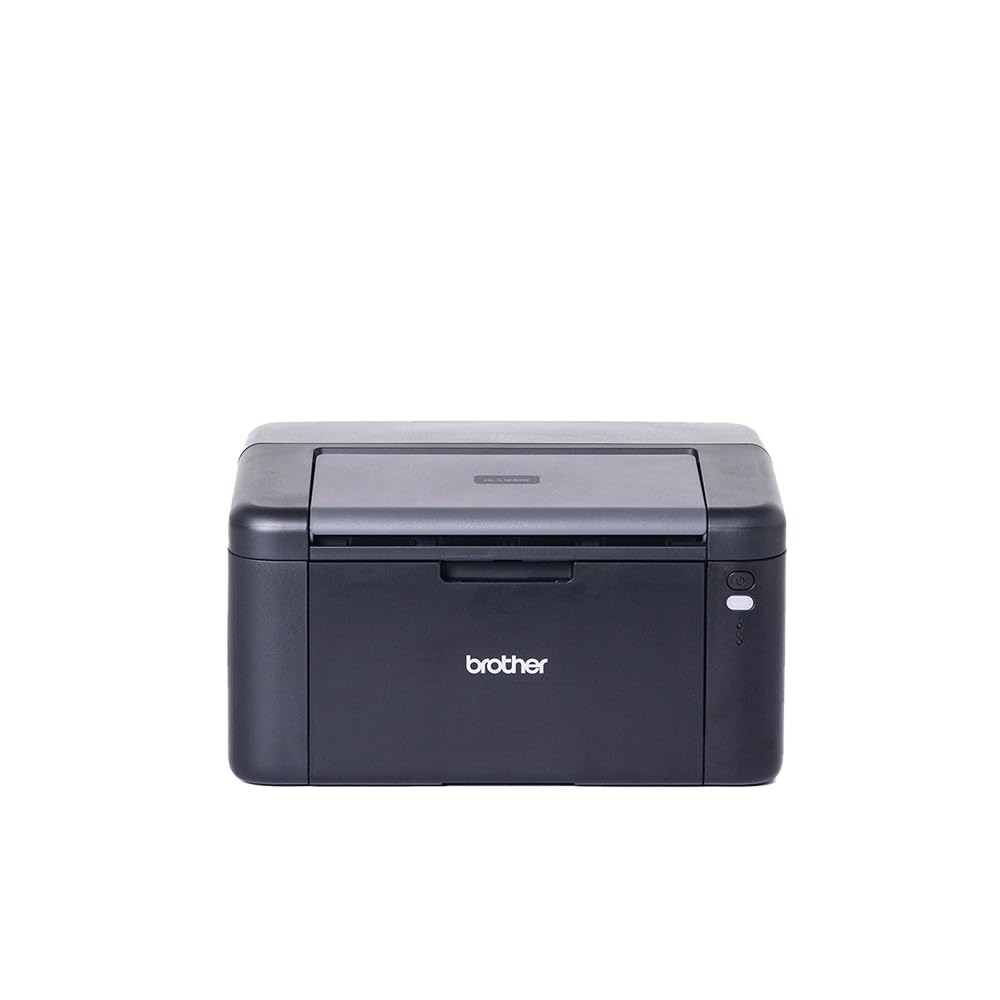
This Brother HL-L1240W is a solid choice if you’re after a cheap printer that handles your everyday printing needs without fuss. It’s designed to crank out sharp monochrome pages quickly, which is great for home offices where you might need documents printed regularly. The wireless feature means you can print right from your laptop or phone, cutting down on cable clutter.
It may not have duplex printing, but for straightforward single-sided prints, it’s reliable and gets the job done well. Compact enough not to take over your desk, this printer strikes a nice balance between straightforward functionality and affordability.
What People Say
Reviewers often mention how this Brother printer feels like a great bargain for the price, especially if you don’t need colour prints. Many appreciate the print quality and speed given the affordable cost.
While some found setup with Wi-Fi a bit tricky at first, most agree it’s a straightforward process once you get going. Its compact size also gets lots of nods from people with limited desk space.
How It Fits Your Life
|
Situation |
How It Helps |
|---|---|
|
Working from a small home office |
Its compact shape keeps your workspace tidy without compromising on print speed. |
|
Printing documents straight from your smartphone or laptop |
The wireless capability means no more running cables across your desk. |
|
Budget-conscious home users |
This is a cheap printer that doesn’t sacrifice print quality and reliability. |
Save Time With Speed
Quick first page out time and 20 pages per minute mean less waiting and more getting on with your day.
Why It Works Well
- Wireless printing lets you work from anywhere in your home
- Crisp black-and-white output perfect for documents and letters
- Compact design fits small workspaces easily
- Easy setup even if you’re not tech-savvy
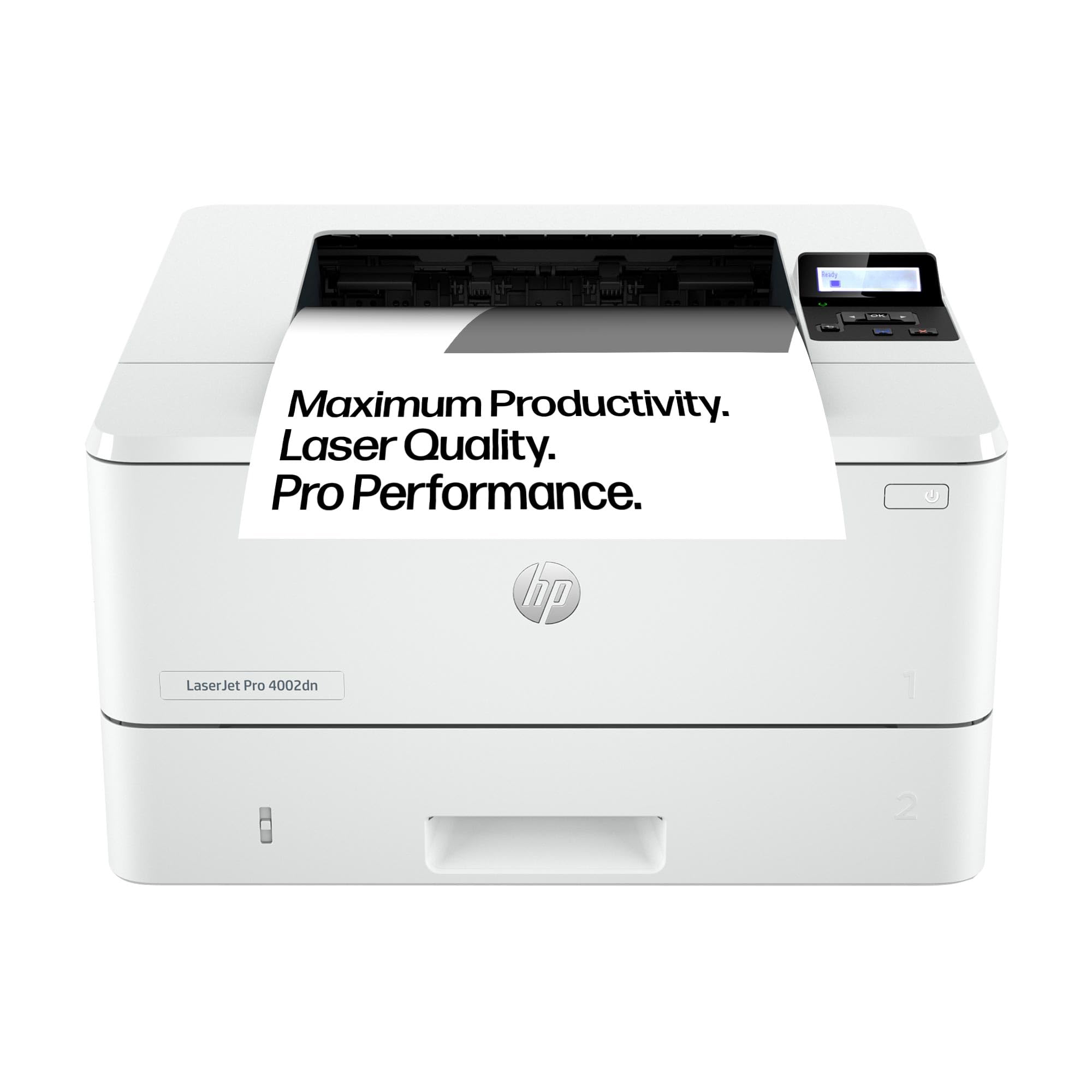
The HP Laserjet Pro 4002dn is a solid home office printer if you need something reliable for daily tasks or occasional bigger print jobs. It’s built for speed and efficiency, churning out crisp monochrome pages at up to 40 ppm.
The automatic duplex printing helps you cut down on paper waste, which is a neat bonus when you’re printing a lot. Connectivity is straightforward with Ethernet and USB, making it easy to set up on your network.
While it’s larger than some smaller printers, it’s a great fit if you want a dependable laser printer that handles work without fuss.
What People Say
Users often highlight how easy the 4002dn is to set up and use, even on networks. Many appreciate the sharp print quality and fast print speeds, which make it suitable for busy home offices or small businesses.
The duplex printing feature comes up often as a helpful way to save paper. A few mention that while the build isn’t quite as robust as older models, its performance more than makes up for it.
Fits These Situations
|
Situation |
How It Helps |
|---|---|
|
Need to print lots of pages quickly |
With a print speed of 40 ppm, it handles large batches efficiently. |
|
Want to reduce paper use |
Automatic duplex printing cuts paper usage by printing on both sides. |
|
Working within a wired home office setup |
Ethernet connectivity ensures stable, reliable network printing. |
Save Time With Speed
Fast print speeds combined with auto-duplex mean fewer pauses and faster project completion.
What Makes It Stand Out
- High-speed printing up to 40 pages per minute keeps you productive
- Automatic duplex printing saves paper and adds convenience for double-sided jobs
- Energy-efficient design helps reduce running costs
- Sturdy build with multiple paper trays supports high volume printing
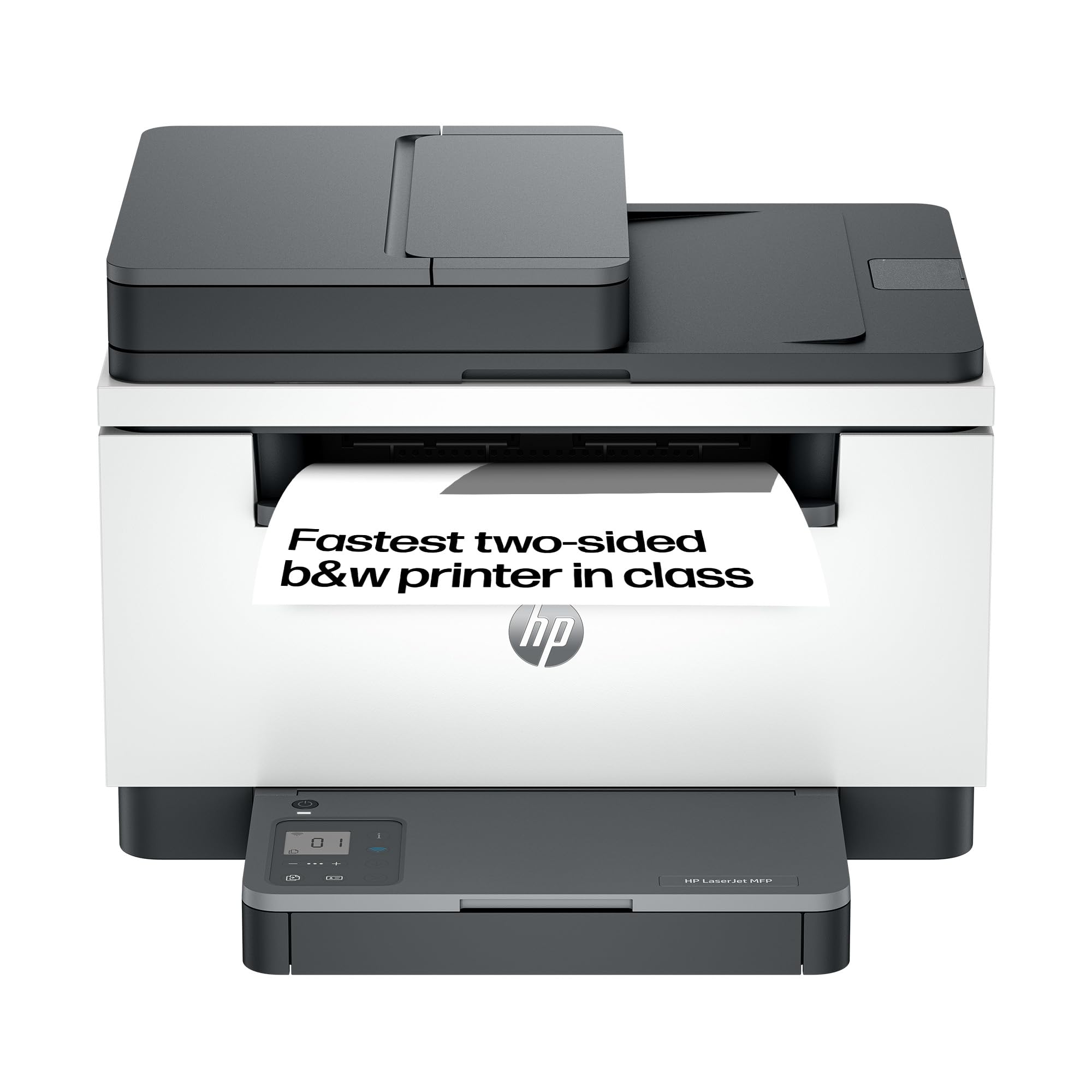
The HP LaserJet MFP M235sdw is a versatile home office printer that does more than just print. It packs printing, scanning, and copying into a neat, space-saving design ideal for those tight desk setups. With up to 27 pages per minute, it keeps up well with your daily workloads, while the auto document feeder saves time during scanning or copying tasks.
Setting it up over Ethernet is straightforward, making it a solid choice if you want a reliable laser printer that won’t take up too much room or cause fuss.
What People Say
Customers often mention how easy it is to get this printer up and running, even if you’re not super techy. The print quality is consistently sharp, and many appreciate the convenience of having scanning and copying built-in.
While not the fastest on the block, its reliable performance and space-saving build make it a favourite for home office users.
Good For These
|
Situation |
How It Helps |
|---|---|
|
Limited desk space |
Its compact design fits snugly where space is tight without sacrificing functionality. |
|
Occasional scanning and copying needs |
The built-in scanner and auto document feeder make these tasks easy and efficient. |
|
Wired home office setup |
Straightforward Ethernet connection avoids wireless frustrations and keeps things stable. |
Save Time
Auto document feeder speeds up multi-page scanning and copying, while decent print speed keeps your workflow smooth.
Why It Works
- Multifunctional design covers all your basic office tasks
- Compact size perfect for smaller home office spaces
- Good print speed ensures tasks don’t slow you down
- Simple Ethernet setup for easy network printing
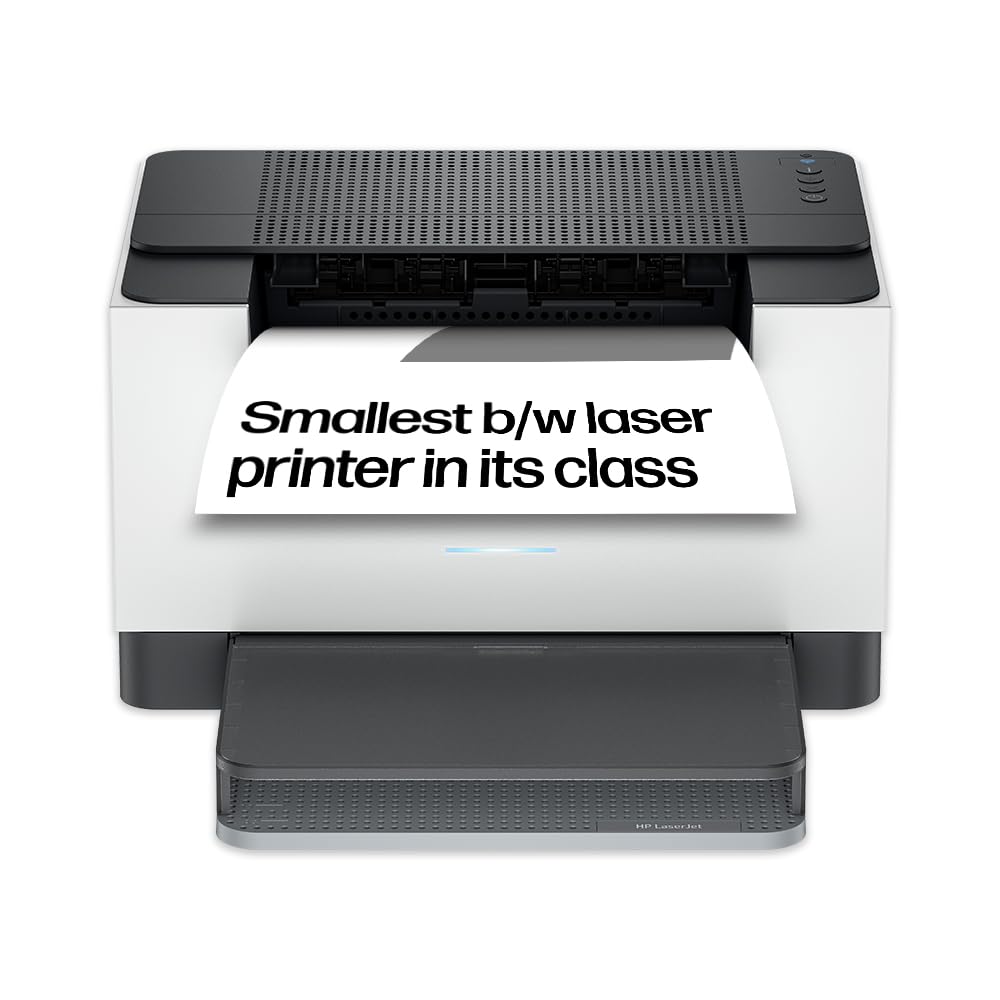
The HP LaserJet M207dw is a handy mono laser printer that offers solid performance for your home office without taking up too much space. Its wireless printer capabilities let you send prints from your phone or laptop easily, while the Ethernet connection assures stable network printing.
With automatic duplex printing, you save paper effortlessly, and the print speed keeps your workflow quick. It’s an ideal option if you want a cheap printer that balances convenience, quality, and reliability.
What People Say
Many users appreciate the easy network setup, especially the Ethernet option, which makes the printer almost plug-and-play. The print quality and speed get good marks too, particularly for straightforward black and white work.
Some found the wireless setup takes a bit of patience, but once connected, it runs smoothly. Overall, it’s regarded as a reliable and efficient printer for home offices.
When It Fits Best
|
Situation |
How It Helps |
|---|---|
|
Printing from various devices around the home |
Supports wireless connections letting you print directly from smartphones and laptops. |
|
Want to cut down on paper usage |
The built-in automatic duplex printing makes double-sided printing hassle free. |
|
Limited space for a printer |
Its compact design blends easily into small home office corners. |
Save Time
Quick print speeds combined with auto-duplex mean efficient printing sessions without interruptions.
Why It’s Great
- Wireless printer with easy connectivity from multiple devices
- Automatic duplex printing helps reduce paper use
- Compact size fits comfortably in smaller home office setups
- Fast print speeds mean less waiting around
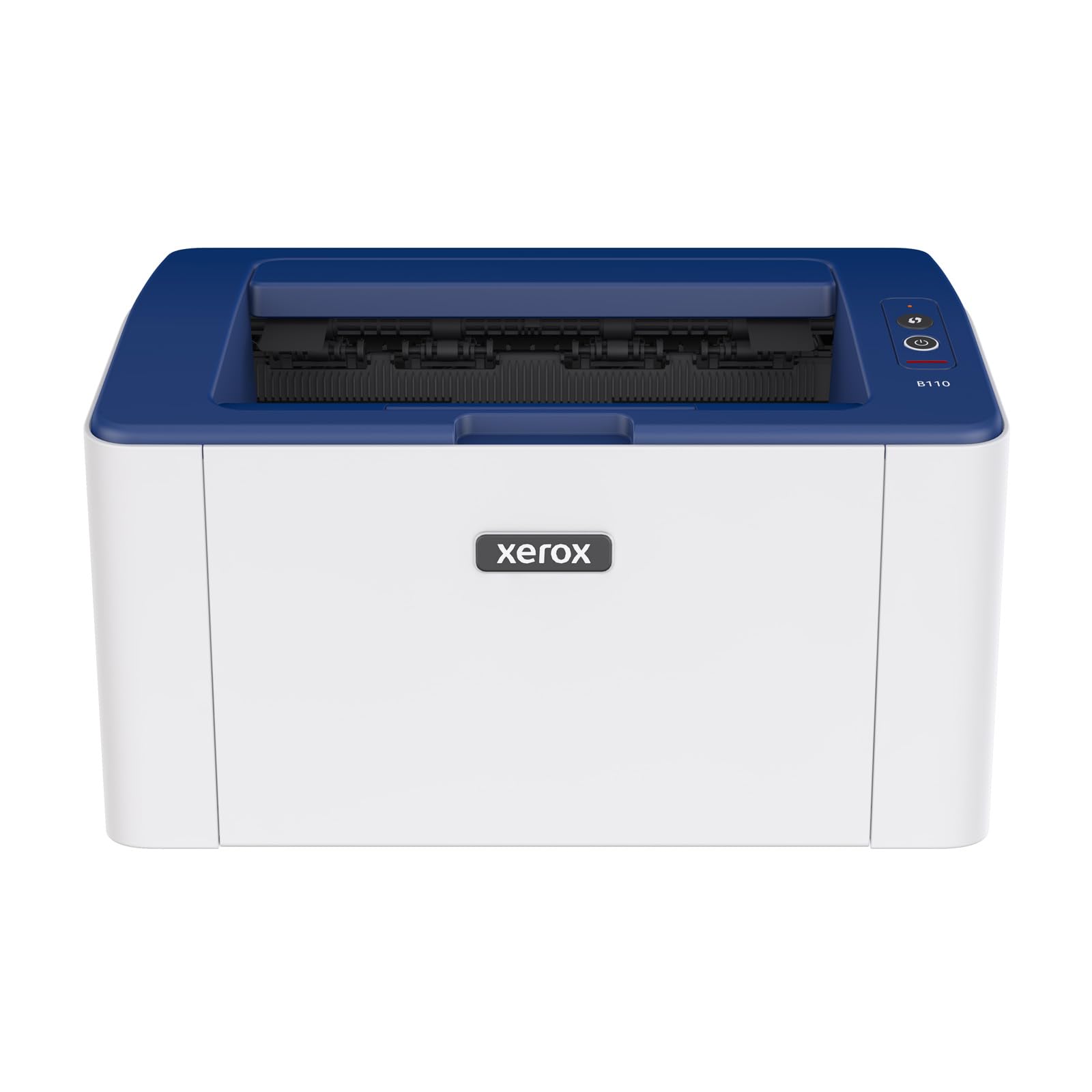
The Xerox B110 is a budget-friendly laser printer perfect if you mostly need straightforward black-and-white prints without fuss. It’s compact enough to fit comfortably on a desk without taking up too much room. While it doesn’t offer duplex printing, the print quality is impressive for the price, and the quiet operation is an added bonus for a home office environment. Wireless connectivity lets you print from your devices easily, although setting up Wi-Fi can sometimes be a bit tricky.
Overall, it’s a solid choice if you want a simple and cheap printer that covers the basics reliably.
What People Say
Most people appreciate the value for money this printer offers, especially if you don’t need colour or duplex printing. The print speed and quality are well-liked, and its compact design suits smaller home offices.
Some users mention initial Wi-Fi setup as a bit of a challenge, but once connected, it runs smoothly. It’s a dependable choice if you want a no-nonsense laser printer at a great price.
Best For
|
Situation |
How It Helps |
|---|---|
|
Limited workspace at home |
Its compact footprint won’t eat up your desk space. |
|
Light to moderate printing needs |
Offers good speed and quality without extra bells and whistles. |
|
Printing wirelessly from various devices |
Supports Wi-Fi so you can easily print from laptops and phones. |
Save Time
A decent print speed of 20 pages per minute lets you get your documents quickly without long waits.
Why It Works
- Compact size saves desk space in a home office
- Solid print quality for monochrome documents
- Quiet printer operation ideal for shared spaces
- Wireless printing makes it easy to print from multiple devices
The Samsung Xpress M2026W is a reliable mono laser printer that fits nicely into a home office setup, especially if you’re looking for a cheap printer without sacrificing quality. It delivers sharp black-and-white prints at a steady 20 pages per minute and has automatic duplex printing to help you save on paper.
Its wireless connectivity lets you print easily from your phone or laptop, while the compact size keeps your workspace neat. Quiet operation and a straightforward setup make it a practical pick for casual or frequent printing needs.
What People Say
Many users appreciate this Samsung model for its strong print quality and low running costs compared to inkjets. The wireless connectivity gets good feedback for convenience, though some mention it needs a little patience during setup. Its quiet operation and reliable duplex printing also come up as appreciated features, making it a popular choice for quiet home offices.
Ideal For
|
Situation |
How It Helps |
|---|---|
|
Needing to print double-sided documents easily |
Auto-duplex printing handles double-sided prints without extra effort. |
|
Printing from multiple devices at home |
Wi-Fi connectivity allows you to print from phones, tablets, or laptops seamlessly. |
|
Working in a small or shared space |
Compact build fits easily into smaller desks or crowded home offices. |
Save Time
With a decent 20 ppm print speed and quick duplexing, it lets you get more done in less time.
Top Features
- Automatic duplex printing cuts down on paper waste
- Wireless printer offers flexible printing options
- Compact design is perfect for limited desk space
- Quiet running keeps your environment peaceful
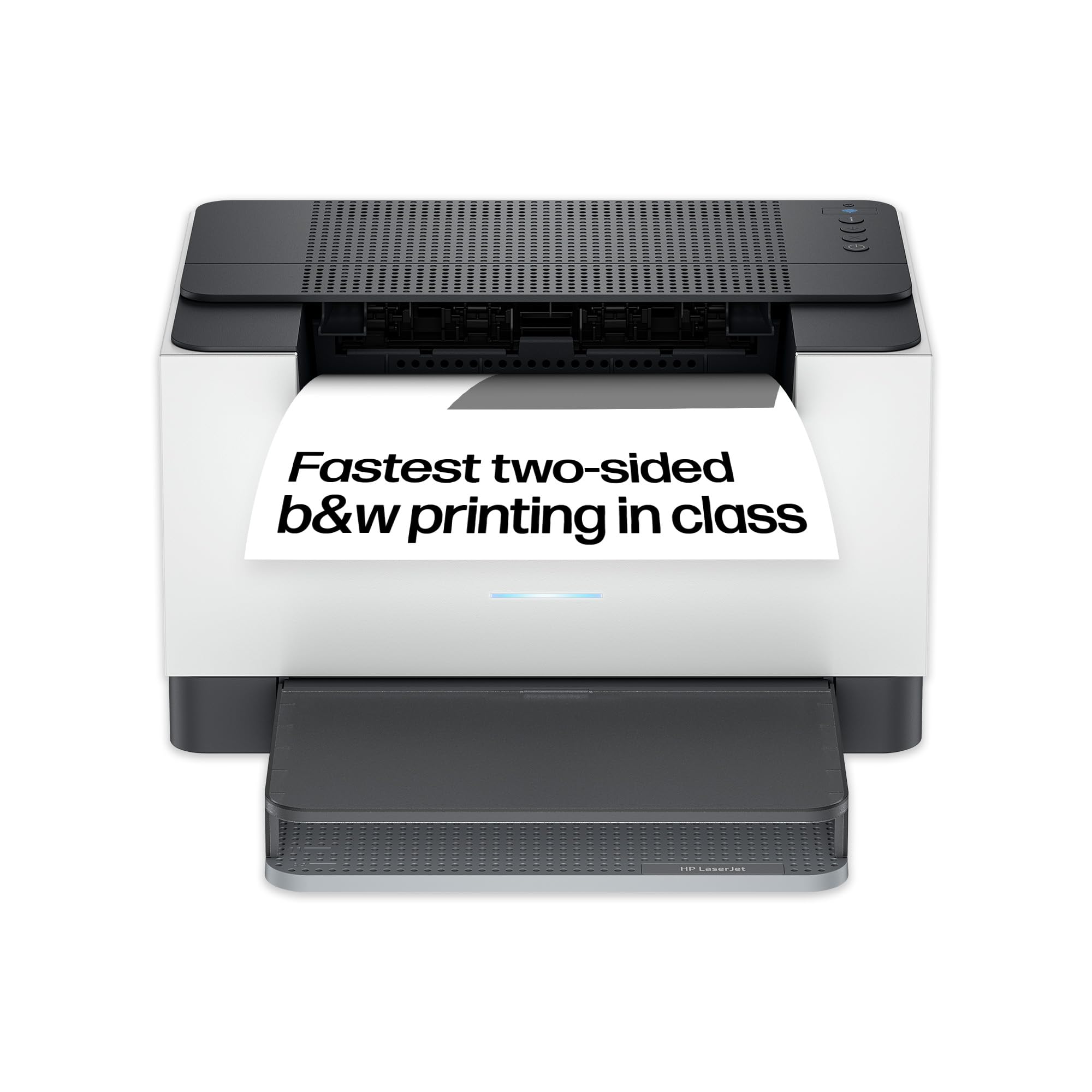
The HP LaserJet M209dw is a solid home office printer that blends fast printing with wireless convenience. Its automatic duplex printing helps you save paper effortlessly, while the 150-sheet input tray means less frequent refills during busy days. It’s capable of handling everything from everyday documents to important reports with a sharp black-and-white finish. Compact enough for smaller desks, it’s ideal if you want a reliable printer that just works smoothly without a lot of fuss.
What People Say
Users frequently praise the M209dw for its speedy, high-quality prints and straightforward wireless setup. Many appreciate the duplex printing for cutting down paper use and the printer’s compact design which fits neatly in tight spaces.
While setting it up can be a bit tricky for some at first, most find the process manageable, and ongoing reliability is a strong point.
When It Fits Best
|
Situation |
How It Helps |
|---|---|
|
Working from a small home office |
Compact size fits easily without taking up too much desk space. |
|
Needing to print double-sided documents |
Automatic duplex printing handles this efficiently. |
|
Printing from multiple devices |
Wireless printer capabilities let you print from laptops, tablets, or smartphones. |
Save Time
Quick 30 ppm print speed means less waiting, and auto-duplex keeps your printing efficient and smooth.
Key Benefits
- Automatic duplex printing saves paper without extra effort
- Wireless printer makes printing from laptops and phones easy
- Fast print speeds keep your workflow moving
- 150-sheet input tray reduces the need for constant refills
The Brother HL-L2445DW is a dependable mono laser printer that fits well in a home office where speed and quality matter. It’s not the smallest model around but balances a compact footprint with a 250-sheet capacity, meaning fewer paper refills during busy days. Thanks to its auto-duplex printing, you can save paper without any extra effort. It connects via USB, Wi-Fi, or Ethernet, giving you plenty of options to suit your setup.
The 32 pages per minute print speed ensures that those deadlines don’t keep you waiting, making it a solid, versatile choice.
What People Say
Buyers often highlight the printer’s solid build and fast, crisp printing at this price point. The auto-duplex feature gets a lot of praise for saving resources. People appreciate the variety of connectivity choices, especially the option to plug directly via Ethernet for a stable connection.
While some find the size a bit more substantial than others, most agree it’s well worth it for the performance offered.
Good For
|
Situation |
How It Helps |
|---|---|
|
You need to print large volumes quickly |
The 32 ppm speed and larger paper capacity make busy printing sessions smoother. |
|
Looking to reduce paper waste |
Auto-duplex lets you print double-sided automatically without extra effort. |
|
Want flexible connectivity for various devices |
Supports Wi-Fi, USB, and Ethernet connections to fit your home office setup. |
Save Time
The combination of fast print speeds and duplex printing makes it easy to breeze through tasks efficiently.
Main Perks
- Fast printing speed of 32 pages per minute keeps work moving
- Automatic duplex printing reduces paper use and hassle
- Multiple connection options including Wi-Fi and Ethernet
- Larger paper capacity means less frequent refills
The Xerox B230dni is a compact and speedy mono laser printer that suits home offices needing reliable and efficient printing. With automatic duplex printing, it saves you paper and effort, while its wireless and Ethernet connections let you print easily from various devices.
It’s built for black-and-white printing with a sharp, clear finish at 34 pages per minute, which means you won’t be waiting long for your documents. Despite the lack of a scanner, this printer’s fast and sturdy build makes it a practical choice for everyday use.
What People Say
Many people like the printer’s dark, crisp print output and reliable performance once it’s set up. The fast print speed and duplex printing are often mentioned as real benefits, especially for daily or moderate workloads.
Some users report the setup can be a bit fiddly, but once running, it handles wireless and wired printing smoothly. It’s seen as a solid buy for anyone wanting a no-nonsense, efficient mono laser printer.
Best For
|
Situation |
How It Helps |
|---|---|
|
Need to save on paper |
Auto-duplex printing lets you print on both sides with ease. |
|
Busy home office with multiple devices |
Wireless and Ethernet connectivity provide flexible printing options. |
|
Limited desk space |
Compact design fits conveniently without crowding your workspace. |
Save Time
A fast 34 ppm speed combined with automatic duplex helps you get through print jobs quickly and efficiently.
Standout Features
- Automatic duplex printing reduces paper waste effortlessly
- Fast printing speed of 34 pages per minute keeps you moving
- Wireless printer options offer flexible device connections
- Compact design fits neatly on most home office desks
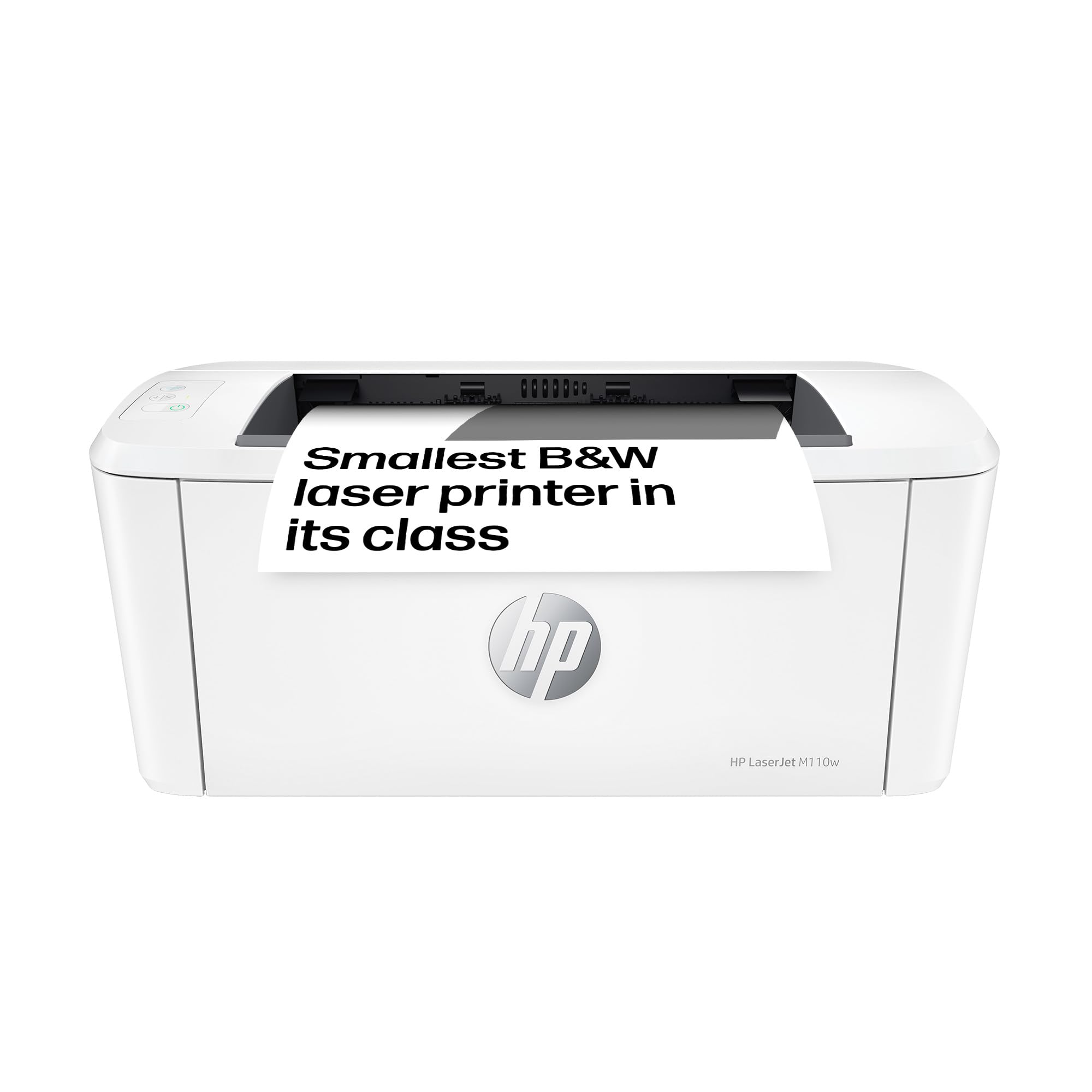
The HP LaserJet M110w is a great option if you’re after a compact mono laser printer that’s perfect for home office use. It’s wireless, making it easy to connect and print from multiple devices without clutter.
Despite its small size, it’s surprisingly quick, pushing out 20 pages per minute, and the manual duplex feature offers a way to print double-sided without extra cost. This printer fits neatly into tight spaces and offers solid black-and-white printing with great reliability, making it a great budget-friendly pick.
What People Say
People often praise the M110w for its quick setup and consistent printing performance, especially compared to inkjets that can be troublesome with dried-out inks. Many like how easy it is to print from phones and laptops thanks to the wireless feature.
Some note the manual duplex can take a little extra effort but love the space-saving design and dependable print quality.
Good For
|
Situation |
How It Helps |
|---|---|
|
Working in a small home office |
Its small footprint fits well without crowding your desk. |
|
Printing occasionally from multiple devices |
Wireless printer capability makes switching between devices simple. |
|
Wanting to reduce paper use on a budget |
Manual duplex offers a cost-effective way to print double-sided. |
Save Time
Quick print speeds combined with easy wireless access mean less waiting and quicker task completion.
Why Choose It
- Compact size saves space in home offices
- Wireless printer for easy connection to multiple devices
- Manual duplex printing helps save paper affordably
- Fast print speed keeps you productive
FAQ
Is a laser printer a good choice for a home office printer under £150?
A mono laser printer is an excellent option for a home office printer in this price range. They offer sharp, fast printing and typically have lower running costs compared to inkjets. If you mainly print documents in black and white, a cheap printer like this delivers crisp results and reliable performance.
Plus, with laser technology, you avoid common inkjet issues like clogged nozzles or dried ink, making it great for occasional or regular use.
Does duplex printing come standard in affordable laser printers for home offices?
While not all cheap printers include duplex printing, many models under £150 do offer automatic or manual duplex capabilities. This feature helps you print double-sided documents easily, saving paper and making your home office more eco-friendly.
If duplex printing is important to you, check the specifications carefully. Some mono laser printers may require manual turning of pages, but there are also automatic duplex models that make it hassle-free.
What should I consider about wireless printers when buying a laser printer for home use?
Wireless printers are super convenient as they let you print directly from your laptop, smartphone, or tablet without cables cluttering your space. For a home office, having a wireless printer means you can print from anywhere in your house.
However, some cheap printer setups might take a bit of patience to connect reliably to your Wi-Fi network. It’s a good idea to check if the model supports easy installation apps and has strong customer support for wireless setup issues.
Wrapping Up
Finding the right laser printer for your home office under £150 is achievable when you focus on what matters most: reliable print quality, suitable speed, and flexible connectivity. Whether you prioritise compact size, budget-friendliness, or multifunction abilities, there are excellent mono laser printers available that meet your needs without compromise. This selection highlights models that combine performance and value, helping you reduce printing costs and streamline your workflow efficiently.
| Product Name | Image | Max Print Speed (Monochrome) | Connectivity Technology | Special Highlights |
|---|---|---|---|---|
| Brother HL-L1240W Wireless Mono Laser Printer |
 |
20 ppm | USB, Wi-Fi |
|
| HP Laserjet Pro 4002dn Laser Printer |
 |
40 ppm | Ethernet, USB |
|
| HP LaserJet MFP M235sdw |
 |
28 ppm | Ethernet |
|
| HP LaserJet M207dw Printer |
 |
28 ppm | Ethernet, USB |
|
| Xerox B110 A4 Mono Laser Printer |
 |
20 ppm | Wi-Fi |
|
| Samsung Xpress M2026W A4 Mono Laser Printer |
 |
20 ppm | USB, Wi-Fi |
|
| HP LaserJet M209dw Wireless Black & White Printer |
 |
30 ppm | Ethernet, USB, Wi-Fi |
|
| Brother HL-L2445DW Mono Laser Printer |
 |
32 ppm | USB, Wi-Fi, Ethernet |
|
| Xerox B230dni A4 Mono Laser Printer |
 |
34 ppm | Ethernet, Wi-Fi |
|
| HP LaserJet M110w Wireless Black & White Printer |
 |
20 ppm | USB, Wi-Fi |
|


